The platform
One system, from the press to the report.
The press record is what the dashboard and the report both show.
One stop, three places.
Press 2 · Shift B · 04:22:57
The stop on Press 2 at 04:22:57, 56 s long: classified at the terminal by the operator as Order change, then on the shift supervisor's dashboard and in the plant manager's PDF report, with the same figures everywhere.
At the terminal
The operator picks the reason.
On the dashboard
The shift supervisor sees it at once.
In the report
The plant manager gets it on Monday as a PDF.
On the shop floor
A terminal the operator will actually use.
Live cycle view
The running cycle against its target, so a problem shows while it develops.
Downtime in two taps
Chronos detects the stop; the operator only picks the reason from your own catalogue.
The order queue
What is running and what is next: start, pause, finish, or move it to another press.
Scrap where it happens
Booked against the order at the machine, with your own scrap types.
For supervisors and managers
Dashboards you build yourself.
16 widget types on a free grid, with no ticket to IT.
Reporting
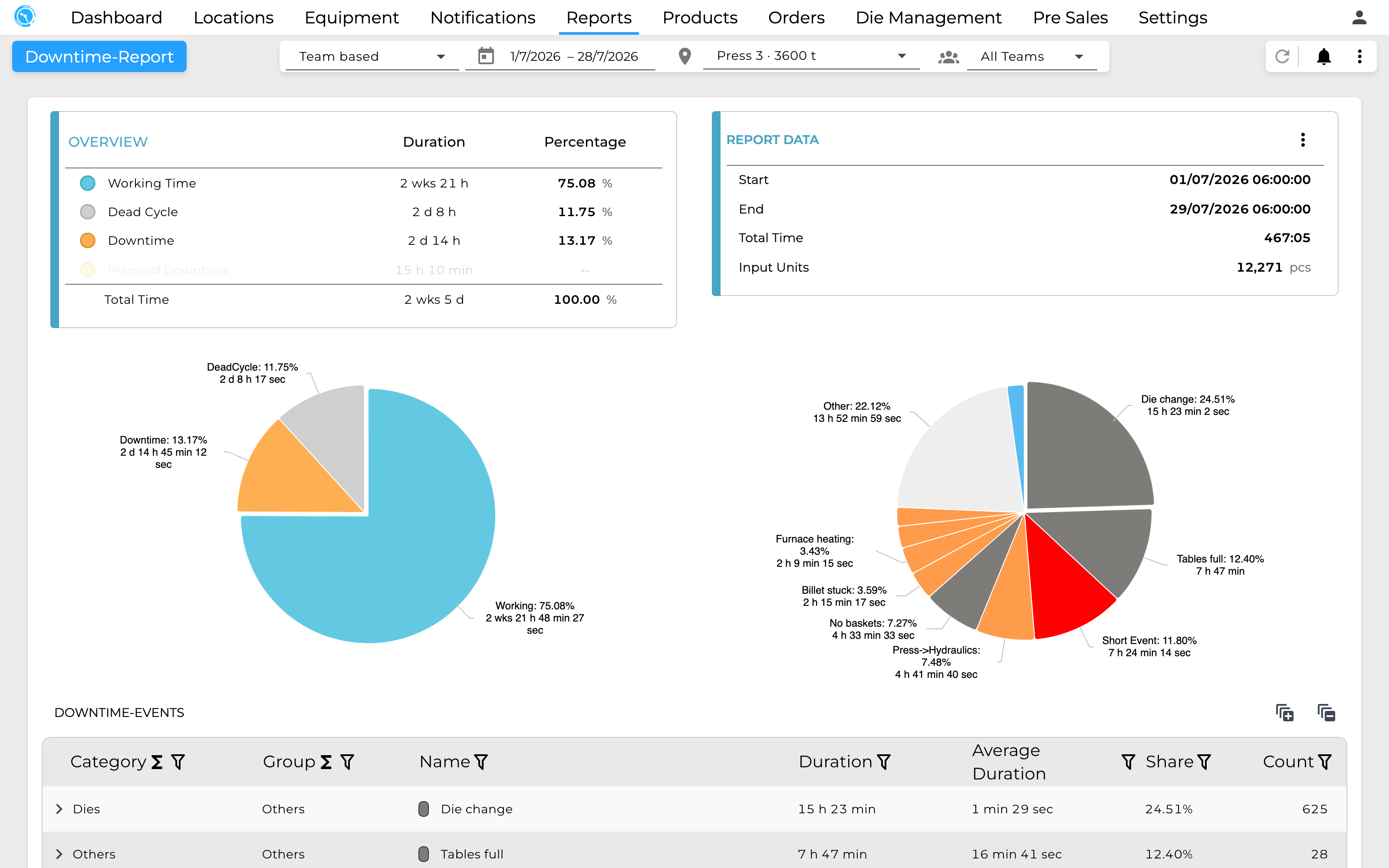
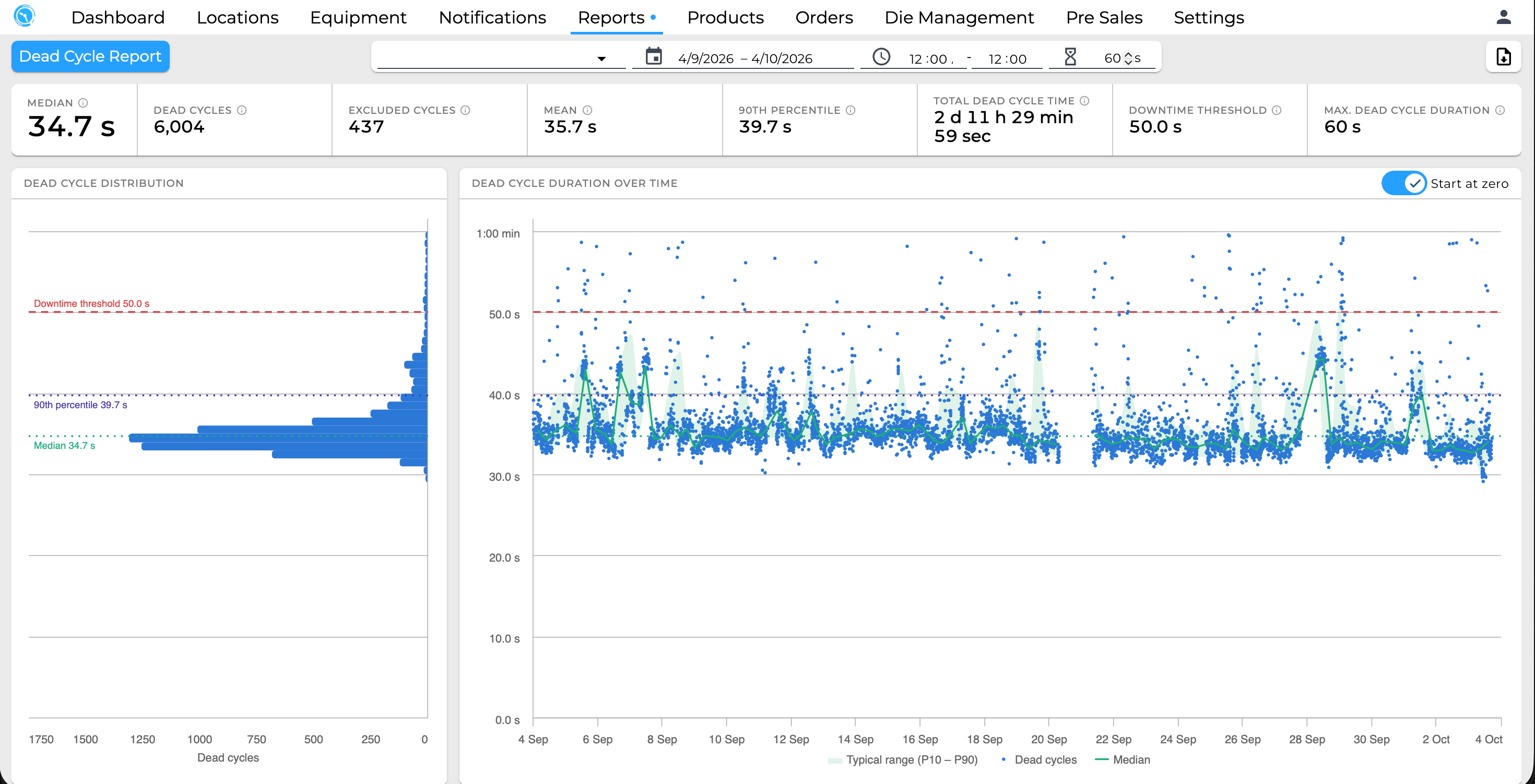
Reports by time, order, product or team.
OEE and downtime
Availability, performance and quality, and every stop with its reason and comment.
Billet report
One row per billet, with the columns you choose.
Scheduled PDFs
By email on a schedule, or at the end of every shift.
Alarms
An alarm is sent when a stop or a signal meets the limit you set.
Stops
After a minimum duration, at start or end, or only once the reason is known.
Signal values
Above, below or outside a band, with a dwell time against flickering sensors.
Email or app
Subscribed per person or per group.
Around the press
The rest of the plant, in the same system.
Production tracking
From casting to packing, through extrusion, stretching, sawing and ageing.
Shifts and teams
Shift models with rotating teams, and reports by team.
Press comparison
A sales tool that works out which press suits a profile best, with LME, billet premium and conversion cost.